Dexcom G7 App — know your glucose, every moment.
The Dexcom G7 app streams glucose readings from your G7 sensor to your phone and watch every 5 minutes — no fingersticks, no guesswork. Download free and see where your numbers are heading before they get there.
Everything your glucose does, on one screen
The G7 app turns a tiny sensor on your arm into a complete picture of your day — readings, trends, alerts and reports.
Real-time readings, all day
A new glucose value every 5 minutes, sent straight to your phone — 288 readings a day with no fingersticks. Trend arrows show where you are heading, not just where you are.
Alerts that think ahead
Customizable high and low alerts, plus Urgent Low Soon — a warning up to 20 minutes before a severe low.
Share with 10 followers
Family and caregivers can follow your numbers live with the Dexcom Follow app and get their own alerts.
On your wrist, direct
The G7 sensor connects straight to Apple Watch, and Android users get readings on supported Wear OS watches.
Clarity reports built in
Time-in-range, 7-day GMI and trend reports sync with Dexcom Clarity so your care team sees what you see.
Log life, not just numbers
Record meals, insulin, activity and notes in the History tab to see exactly what moves your glucose.
Want the full breakdown of every feature? Dexcom G7 app features explained
From box to first reading in 30 minutes
Apply the G7 sensor
A small, all-in-one sensor goes on the back of your upper arm with a one-press applicator. Wear it for up to 10 days — shower, swim and sleep included.
Pair with the free app
Download the Dexcom G7 app, sign in and pair via Bluetooth. The sensor warms up in about 30 minutes — the fastest warmup of any major CGM.
Watch your trends live
Readings arrive every 5 minutes with trend arrows, alerts and time-in-range stats — on your phone, your watch and with the people you trust.
Step-by-step screenshots and troubleshooting: how to install the Dexcom G7 app
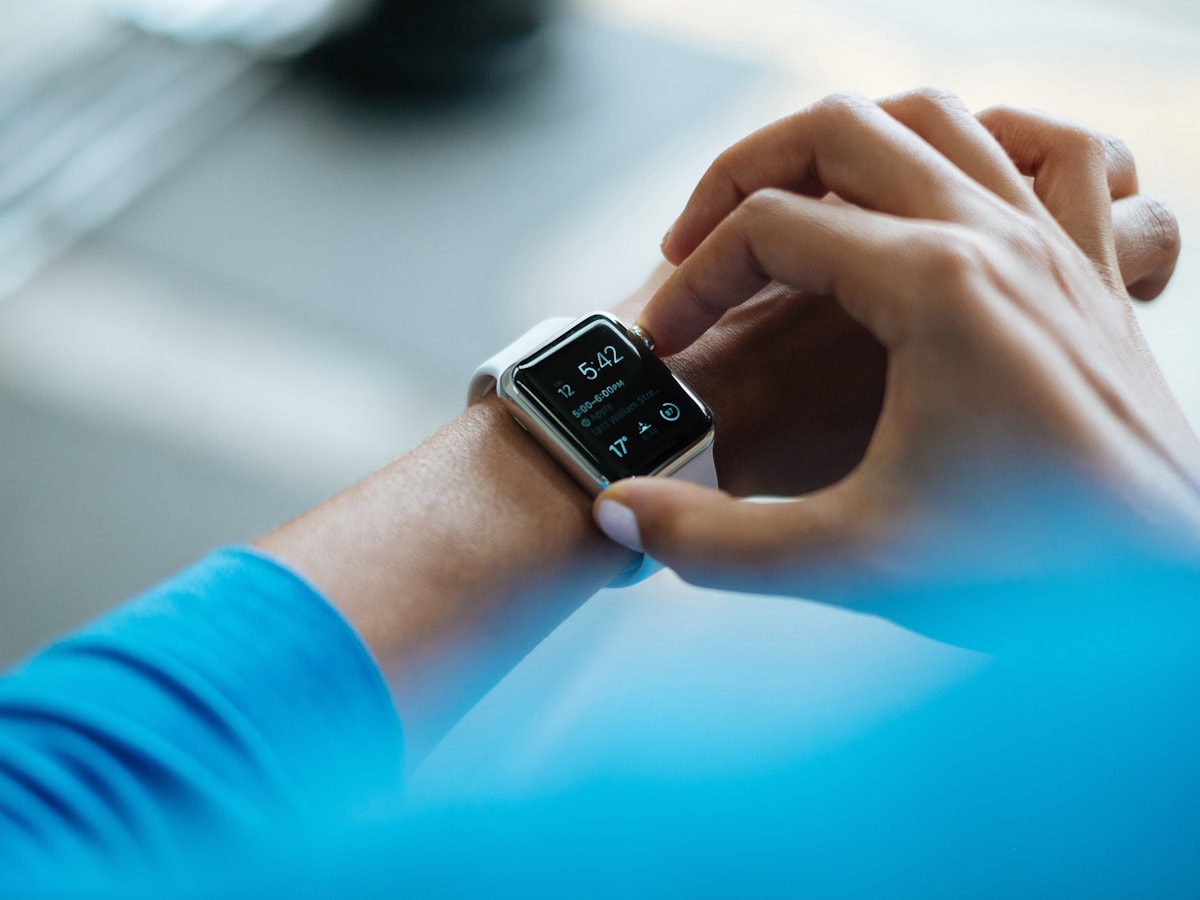 Live on your wrist
Built around the smallest, fastest Dexcom sensor yet
The G7 app is the command center for the Dexcom G7 system — the CGM worn by millions of people with type 1 and type 2 diabetes. The sensor is 60% smaller than the G6, warms up in half the time, and streams readings continuously to the app.
No more flying blind between fingersticks: you see the number, the direction it is heading and how fast — so you can act before a high or low becomes a problem. More about the app
Upgrading from the G6? Here is what changed
| Spec | Dexcom G7 | Dexcom G6 |
|---|---|---|
| Sensor size | 60% smaller, all-in-one | Sensor + separate transmitter |
| Warmup time | 30 minutes | 2 hours |
| Wear time | 10 days + 12h grace (15-day version in US) | 10 days, no grace period |
| Accuracy (MARD) | ~8.2% | ~9.0% |
| Apple Watch direct | ✓ Yes | — |
| Clarity reports in app | ✓ Built in | Separate app |
Full breakdown with sources in our guide: Dexcom G7 vs G6 — every difference that matters
Highlights from public store reviews
Paraphrased themes from real App Store and Google Play reviews — the good and the honest.
“Being able to glance at my watch instead of pricking my finger ten times a day changed how I manage my T1D. The Urgent Low Soon alert has woken me up more than once — that alone is worth it.”Theme from App Store reviews
“As a parent, the Follow sharing is everything. My daughter is at school and I can see her numbers in real time. The 30-minute warmup on the G7 is a huge upgrade from the two hours we used to wait.”Theme from Google Play reviews
“The readings and trend arrows are excellent and the Clarity reports make appointments easier. Occasional Bluetooth signal-loss gaps are the one thing I would fix — reconnecting usually sorts it.”Theme from cross-platform reviews
Made for the way you live




Guides worth reading before you start
How to install & set up the G7 app
From compatibility check to first reading in 5 steps — including the Android battery-saver fix most people miss.
Read the guide CompatibilityCompatible phones & watches
iOS and Android requirements, why Dexcom verifies specific models, and what to do if your phone is not on the list.
Check your device CostWhat the G7 really costs
Insurance, Medicare, pharmacy vs DME pricing and the legitimate ways to pay less for sensors in the US.
See the numbersFrequently asked questions
The Dexcom G7 app is the official companion app for the Dexcom G7 continuous glucose monitoring (CGM) system, made by DexCom, Inc. It receives glucose readings from the G7 sensor every 5 minutes and shows them on your smartphone or smartwatch in real time — no fingersticks required.
Yes. The app is a free download on both the Apple App Store and Google Play. You need a Dexcom G7 sensor (available by prescription in the US) and a free Dexcom account to use it.
The app requires iOS 18.6 or later on iPhone, and Android 13 or later on Android devices. Dexcom maintains an official compatibility list at dexcom.com/compatibility, since Bluetooth performance is verified per device model.
Yes. The G7 sensor can connect directly to a compatible Apple Watch, so you can see real-time glucose readings on your wrist even when your iPhone is not nearby.
A standard G7 sensor is worn for up to 10 days, with a 12-hour grace period to replace it. Dexcom has also introduced a G7 15-Day sensor in the US. Each new sensor warms up in about 30 minutes — the fastest of any major CGM.
Yes. Using the separate Dexcom Follow app, you can share your glucose data with up to 10 followers, who can view your readings and trends and receive their own alerts on their compatible smart devices.
The app offers customizable alerts for high and low glucose, a predictive Urgent Low Soon warning, rise/fall rate alerts, and system alerts such as signal loss. Alert profiles like quiet modes let you adjust sounds by time of day.
The Dexcom G7 reports an overall MARD of roughly 8% — among the best of any CGM system. Because it measures interstitial fluid, readings can lag blood glucose by a few minutes, especially when glucose is changing rapidly.
Yes for readings — the sensor streams to your phone over Bluetooth, so you see your glucose with no internet connection. Wi-Fi or mobile data is only needed for Share/Follow, Dexcom Clarity syncing and account backup.
The G7 pairs with a 60% smaller all-in-one sensor, warms up in 30 minutes instead of 2 hours, adds a 12-hour grace period after each 10-day session, and supports direct-to-Apple-Watch streaming. The G6 uses a separate reusable transmitter.
No. This is an independent informational guide about the Dexcom G7 app. Dexcom and Dexcom G7 are trademarks of DexCom, Inc. Always download the app from the official Google Play or App Store listings, and consult your healthcare provider for medical decisions.
More questions answered in the full Dexcom G7 app FAQ
Stop guessing. Start seeing.
Download the Dexcom G7 app free from the official stores and pair it with your G7 sensor today. Your next reading is 5 minutes away.
Requires a Dexcom G7 sensor and a compatible device — iOS 18.6+ or Android 13+. Check your phone
*Dexcom describes its CGM as the most used real-time CGM system, per dexcom.com.